May 2026 Releases
Release Date - May 29, 2026
A GenRocket Runtime update is required for this release. Please see the following page for step-by-step instructions:
Jar Files
| Enhancements |
| GenRocket Runtime (v3.12.0) | The following enhancements were in this release:- Upgraded and Removed some of the vulnerable jars in GenRocket Runtime. These include removal/upgrading of vulnerable jars.
- GenRocket Multi-User Server (GMUS) - The GMUS application will now be enabled by default when created by the Organization Admin.
- G-Analytics User Usage Run Activity Dashboard - Multiple enhancements:
- New Reports - User Project Versions Scenario Run and User Scenario Runs Count
- Renamed “Name” column across all reports to be more descriptive (e.g., Project Version Number, Project Name, etc.)
- Added a label to clearly display the selected time period when the date range is changed.
- Added data generation count to show the number of rows of data that was generated after executing a Scenario/Chain/Set.
- G-Analytics Server Related Reports - Moved to a new dashboard titled Server Usage Run Activity. Added the following new reports:
- Server Project Versions Scenario Runs
- Server Scenario Runs Count
|
| Bug Fixes |
The following bug fixes were in this release:- Receiver Global Edit - Values selected in the drop-down menus were not saving.
- G-Questionnaire Copy Generator - Copy Generator now adds only the selected attribute to G-Questionnaire and avoids automatically adding referenced domain-level attributes. Also, Domains added internally during the Copy Generator process no longer appear in the Domain Loop Count Change pane. Additionally, fixed an issue where the tree view displayed an incorrect loop count after deleting a domain with a previously modified loop count.
- G-Case Attribute Reordering - All Attributes were enabled automatically when a new Attribute was added and reordered in the list. The auto-enabling resulted in the Generators overriding the Scenario-level settings for test data generation.
- Extract Table Schema (XTS) Import - When importing a table schema using XTS Wizard, the "id" Attribute automatically added in the Domain by GenRocket was set to visible by default.
- In-Place-Masking -
- Oracle non-null columns were not getting masked when a masking column had null value in the table row.
- Before exporting map table data, existing files on the SFTP server were not being removed
|
Release Date - May 25, 2026
No Runtime or Jar updates required for this release.
| Jar Files | Enhancements |
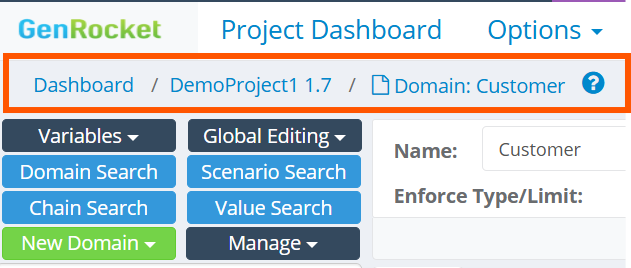
| None | The following enhancements were in this release: - Breadcrumb Navigation - Added a breadcrumb bar to the top of all sections except the Project Dashboard to improve GenRocket Web Platform navigation. Users can now move between dashboards more easily and navigate the platform with fewer clicks,
|
Release Date - May 15, 2026
A new Runtime is being released to address vulnerable jars. To update your Runtime, please see the following page for step-by-step instructions:
| Jar Files | New Features |
Engine Jar (v3.11.0.1)
Generator Jar (v3.11.0.1)
Receiver Jar (v3.11.0.1)
| The following new features were in this release: - MapCSVToMapGen - Read data from one or more columns within a CSV file into memory based on keyc.
- MapCSVFromMapGen - Reads value of a particular column by column name from the result of the MapCSVToMapGen.
|
| Enhancements |
The following enhancements were in this release: - YAML Import - Added support for version 3.0. YAML import now supports both versions 3.0 and 2.0.
- OracleSQLFileInsertReceiver - Added support for DATE and TIME format using the TO_DATE function.
- Enable/Disable User Management - Added ability to enable and disable user management within the My Organization page. Disabling User Management within the My Organization page ensures that users are managed via SCIM.
|
| Bug Fixes |
The following bug fixes were in this release:- KafkaInsertReceiver and KafkaDirectoryReceiver - When a user entered the responseSubDir and the responseFileName, it was not automatically generated when the scenario(s) were executed. This resulted in the user receiving a File Not Found Exception.
- G-Questionnaire - The G-Questionnaire was overriding the loopCount, even when it was dynamically set at the Scenario level.
- Import from Spark Schema - Unable to import file using Import from Spark Schema.
- XTS on Postgres Schema - XTS was not considering schemas/tables in uppercase.
(s) |
